
Orders & notifications
Triggers
Triggers let oneCORE notify your own automation flows, such as Microsoft Power Automate, when something important happens in your shop. Examples are an order status change, a new shipment line, a shop user updating their details, or a change to a quotation. When the event happens, oneCORE notifies the flow you connected and passes on the key reference, such as the order ID. Your flow can then retrieve any further details it needs through the Public API, and send an email, update your ERP or CRM, or run any other process you need.
Triggers were previously called "Notification template V2". They are gradually replacing the older notification template mail types that started automations, such as the Power automates mail type. You still use Notification templates to manage the subject line and body of emails and SMS messages.
Permissions
To access the Triggers feature, users are required to have the "Triggers" role. Once the permission is granted, the feature will appear under Management menu.
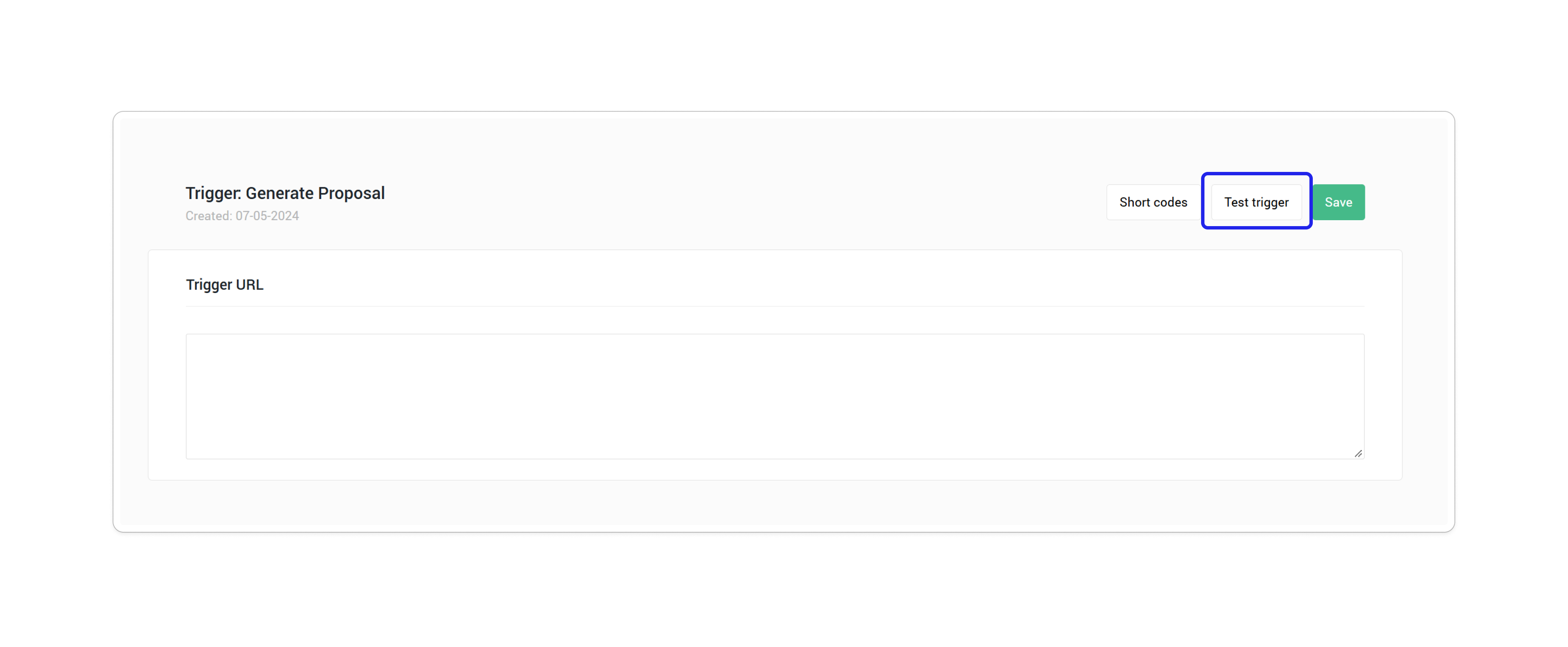
Test trigger
Before you use a trigger live, you can run a test trigger to check that your flow receives the data correctly and to preview the trigger body. A test trigger sends sample data from an existing record in your shop, usually the most recent one.
Trigger types
Triggers are grouped into three types, based on the data they relate to. When you create a trigger, you choose its type first, then the trigger within that type.
1. Order - Used for events in the order process
2. Shop user - Used for events related to a shop user and their account
3. System - Used for events created by system, such as quotations, vouchers, newsletters, etc.
Trigger on Order status changed
Setting
- Order status (multiple selection): Any (default), Pre-created, Created, Fraud check, Processing, Finished, Declined, Cancelled.
When it runs
- When the status of an order changes to one of the selected statuses.
Data sent to your flow
- Order ID
- Company URL
Where it can be triggered
- Checkout flow (orderflow)
- Automatic order cancellation
- Public API, when an order is updated via
- PATCH /api/v2/orders/{id}
- PUT /api/v2/orders/{id}
- Order detail page in Admin, when the status is changed manually
Test trigger: sends the data of an existing order.
Note: this trigger does not run when an order is created.
Trigger on Shipment line created
When it runs
- When a shipment line is created.
Data sent to your flow
- Order ID
- Shipment ID
- Shipment line ID
Where it can be triggered
- Checkout flow (orderflow), when the payment is completed
- Public API, when a shipment line is created via POST /api/v2/orders/{id}/shipments/{shipmentId}/shipmentlines
- Order detail page in Admin, when a shipment is created manually
Test trigger: sends the data of the latest shipment line.
Trigger on Shop user created
When it runs
- When a new shop user is created, by registration or via API.
Data sent to your flow
- Shop user ID
- First name
- Last name
- Phone number
Where it can be triggered
- Checkout flow (orderflow), when customers fill out their contact.
- On a shop front-end, when customers register their account.
Trigger on Shop user updated
When it runs
- When any of the following shop user details is edited:
- First name, last name, salutation, birthday, email address, phone number
- Address details: first name, last name, company name, phone number, street name, number, suffix, address, zip/postal code, city, country, COC, VAT number
- Shop user type data
Data sent to your flow
- Shop user ID
- First name
- Last name
- Phone number
Where it can be triggered
- Account Connect (for example, My address)
- Checkout flow (orderflow)
- Admin, when an admin user manually edit customers' information
- First time login
Trigger on Voucher claimed
When it runs
- When a shop user claims a voucher.
Data sent to your flow
- Voucher ID, code, comment
- Campaign ID
- Shop user ID
- Claimed date, redeemed date
Where it can be triggered
- Account Connect MyVouchers component, when a shop user clicks to claim a voucher
Test trigger: sends the data of the newest claimed voucher.
Trigger on Voucher redeemed
When it runs
- When a voucher is assigned to shop user and redeemed.
Data sent to your flow
- Voucher ID, code, comment
- Campaign ID
- Shop user ID
- Claimed date, redeemed date
Where it can be triggered
- When a voucher is applied to an order
- A voucher redeem page (custom per shop)
- Public API, when the redeemed date of a voucher is updated /api/v2/campaigns/{id}/vouchers/{voucherId}
Test trigger: sends the data of the newest redeemed voucher from the newest campaign, if that voucher is assigned to a shop user.
Note: after a voucher is assigned to a shop user, it can take about 10 minutes before the trigger picks up the change.
Trigger on Quotation status changed
When it runs
- When the status of a quotation changes.
Data sent to your flow
- Quotation ID
Where it can be triggered
- Public API, when a quotation is updated
- Quotation detail page in Admin, when a quotation status is updates manually.
Test trigger: sends the data of the newest quotation.
Trigger on Quotation contact changed
When it runs
- When any of the following contact details of a quotation changes:
- Customer name, email, telephone, country
- Shop user details: salutation, first name, last name, email, telephone number, birthday, shop user type
- Shipping address or billing address
- The linked shop user (shop user ID)
Data sent to your flow
- Quotation ID
Where it can be triggered
- Shop user detail page in Admin, when shop user details are updated manually by admin users
- Public API, when a quotation (/api/v2/quotations), shop user (/api/v2/shopusers) or shop user type (/api/v2/shopuser/{}/shopusertypes) is updated
- Account Connect (AccountOverview and AccountCompletion)
Test trigger: sends the data of the newest quotation.
Note: editing an existing in-use shop user address does not run this trigger, because oneCORE saves the edited address as a new address.
Trigger on Quotation follow-up changed
When it runs
- When the follow-up date, note or success rate of a quotation changes.
Data sent to your flow
- Quotation ID
Where it can be triggered
- Public API, when a quotation (/api/v2/quotations) or quotation product (/api/v2/quotations/{}/products) is updated.
- Quotation summary in Admin, when quotation details are edited manually by admin user.
Test trigger: sends the data of the newest quotation.
Trigger on Quotation product changed
When it runs
- When a product is added to or removed from a quotation.
- When any of the following product details changes:
- Amount, product note, discount line
- Configuration: editions and edition amount, dimensions (length, width, height), amount, note
- External order line
- Service cost
Data sent to your flow
- Quotation ID
Where it can be triggered
- Public API, when a quotation product is added, updated or removed
Test trigger: sends the data of the newest quotation.
Trigger on Quotation discount changed
When it runs
- When a change affects the discount amount of a quotation, for example:
- A voucher is changed, or its amount changes
- A product change affects the quotation price
Data sent to your flow
- Quotation ID
Where it can be triggered
- Public API, when a quotation is updated
Test trigger: sends the data of the newest quotation.
Trigger on Quotation shipment changed
The quotation shipment integration is only available in some shops.
When it runs
- When delivery products are configured (the answers are edited).
- When the expected delivery date is added, edited or removed.
- When the shipping cost changes.
- When products are added to or removed from a delivery group.
Data sent to your flow
- Quotation ID
Where it can be triggered
- Public API, when the shipping group of a quotation product is changed
- Sales portal quotation detail page
Test trigger: sends the data of the newest quotation.
Trigger on Voucher created
When it runs
- When a voucher is created, in Admin or via API.
Data sent to your flow
- Voucher ID
- Campaign ID
- Voucher code
Where it can be triggered
- Once a voucher is created via Campaign Admin UI and Public API.
Test trigger: sends the data of the most recently created voucher.