
PlatformConnectShopify
Selling on Shopify? Keep it.
Shopify is built for products on the shelf. Made to measure needs more: options that depend on each other, measurements and a price that follows your rules. The oneCORE product configurator adds that to the Shopify store you have, connected through oneCORE’s public API and MCP server.
- No new webshop and no migration
- Prices from your price list or ERP
- The full configuration in the cart
✓Added to your cartWith the full configuration
How it works
One configurator, your Shopify store.
oneCORE configurator
01
Your store, your theme.
The configurator sits on your own product pages and follows your design. Customers stay in your store from the first choice to the order.
- On your own product pages
- Follows your theme
- From the first choice to the order in your store
Priced by your rules
- Every optionyour price
- Every measurementyour rules
- From a price list or your ERPlive
- The right price, at every stepshown
02
Prices from your rules.
Every option and every measurement is priced by your own rules, from a price list or your ERP. The customer sees the right price at every step. Glass Inside's configurator runs on its own Excel price list.
- Your price list, your ERP or oneCORE itself
- Rules decide which options fit together
- No surprises at checkout
Your cart · example
Dining table, made to measure
03
Straight into your cart.
One click puts the configured product in the cart, with the full configuration. Your customers check out the way they know, and the order arrives ready for production.
- One click to the cart
- Every choice on the order line
- Your checkout, your payment
Try it
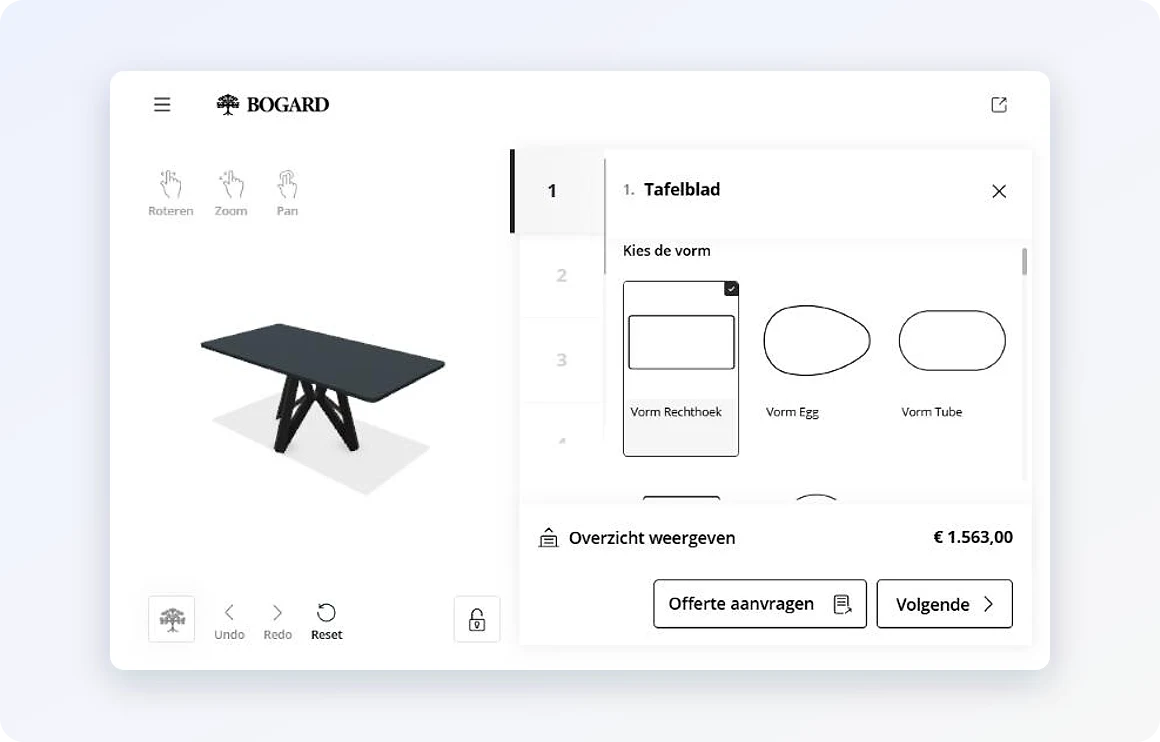
Configure a table. Follow it into the cart.
On our WooCommerce page you design a table with Bogard's own options and prices and add it to the cart. In Shopify the configurator works the same way.
Try the demo →
Related
Works well with.
Questions
Shopify and oneCORE.
How does oneCORE connect to Shopify?
Through oneCORE’s public API and its MCP server. Both are open, so AI can set up the connection quickly, the same AI low-code way we connected Bogard’s WooCommerce shop.
Do we need a new webshop?
No. The configurator runs in the store you already have. No new webshop and no migration.
Where do the prices come from?
From your own rules: a price list or your ERP. Glass Inside's configurator runs on its own Excel price list.
Where do the orders arrive?
In your cart, with the full configuration, and from there in your own order system, ready for production.
Which other webshops does it work with?
WooCommerce, as at Bogard, Magento, as at George at Work, or a platform of your own.
How do we start?
Book a 30-minute demo. Tell us what you make and how your Shopify store is set up, and we'll show you what the configurator would look like in it.
Keep your Shopify store. Add the configurator.
Book a 30-minute demo and we'll show you oneCORE inside the store you run.