

SolutionsCommerceHeadless commerce

Your front end. oneCORE behind it.

Built your own site, or running WooCommerce or Magento? Keep it. oneCORE does the hard part behind it, from configuration rules and prices to quotes, orders and customers, through the public API that comes with every package.

  • Public API in every package
  • Products, prices, quotes, orders and customers
  • Test in a sandbox before you go live
your front end → oneCORE API v2
  1. GET/api/v2/productsproducts
  2. GET/api/v2/productcombinationpricesprices
  3. POST/api/v2/quotationsquote
  4. POST/api/v2/quotations/{id}/productslines
  5. GET/api/v2/orders/{id}/itemsorder
  6. PATCH/api/v2/shopusers/{id}customer
  7. GET/api/v2/company/localizationmarkets
Endpoints from the oneCORE changelog● API v1 and v2

How it fits

You build what customers see. oneCORE runs the rest.

Your developers keep full control of the front end. Behind it, oneCORE holds what makes configurable products hard to sell: the editions, the rules that decide what fits, the combination prices, the quotes and the orders.

  • 1
    Your front endYour own site, WooCommerce, Magento or a showroom screen.
  • 2
    The public APIAPI v1 and v2, documented in Swagger on every shop.
  • 3
    The oneCORE engineConfiguration, pricing, 3D, quotes, orders and customers.
Your front endYou choose
  • Your own site
  • WooCommerce
  • Magento
  • Yuna Player screens
Public APIIn every package
  • v1 and v2
  • Swagger docs
  • Fair use
oneCOREThe engine
  • Editions and rules
  • Combination prices
  • 3D
  • Quotes
  • Orders
  • Customers
  • Content

The API

What your front end can reach.

A selection of the endpoints, as published in our changelog. The full list is in the Swagger documentation at /api-swagger on your shop.

Products, catalogs and combination prices.

Read and manage products and catalog products, and the prices of product combinations, up to 1,000 combination prices in one bulk call.

  • GET/api/v2/products
  • PATCH/api/v2/products/{id}
  • GET/api/v2/catalogproducts
  • GET/api/v2/productcombinationprices
  • POST/api/v2/productcombinationprices/bulk

How it works

Three ways to go headless.

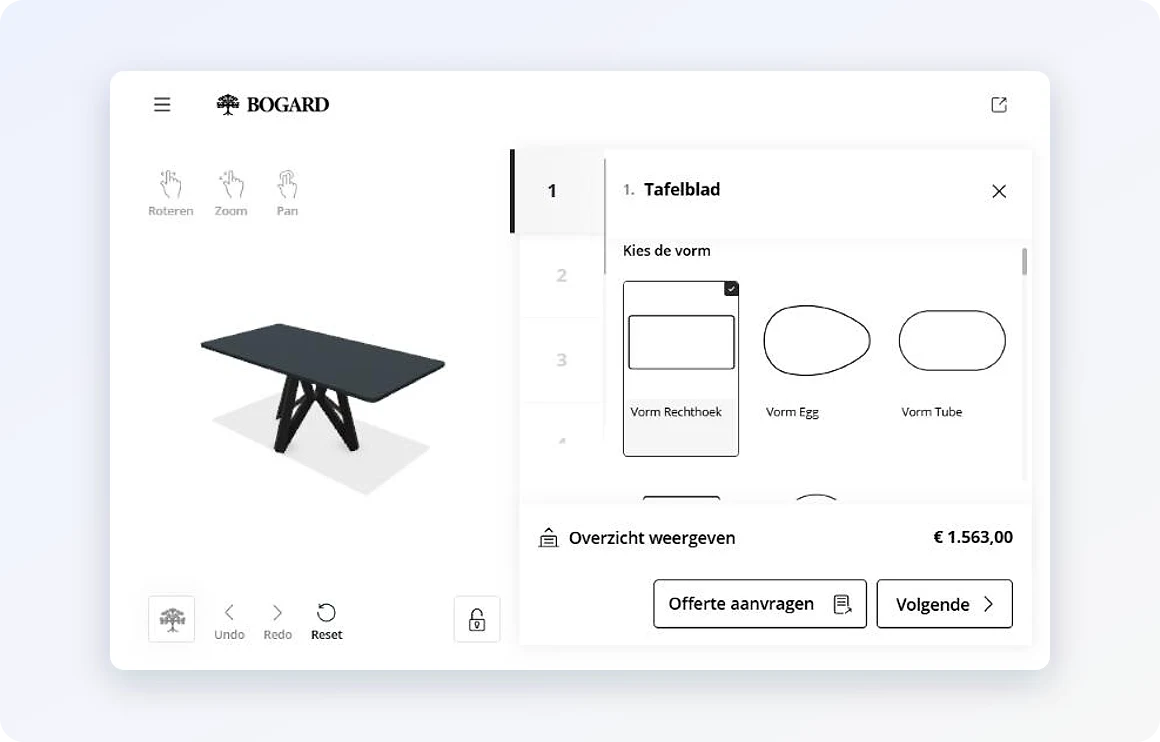
Bogard's configurator inside its WooCommerce webshop

01

Inside the webshop you have.

The oneCORE configurator runs inside WooCommerce, Magento or a platform of your own. Prices follow your rules, and one click puts the configured product in your cart. Bogard runs it in WooCommerce, George at Work in Magento.

  • Your site, your design
  • Prices from your rules
  • Straight into your cart

Content your front end can use

  • Dynamic contentwrite once, use everywhere
  • Page components and sectionsyou decide how they show
  • Metadata (JSON) on pagesdata from outside
  • Product feedsGoogle, Channable

02

Content for any front end.

Write a piece of dynamic content once and link it wherever you need it, made for flexible front-end use. Page components and sections are yours to show as you like, and pages can carry JSON metadata that pulls in data from other systems.

  • One text, kept in sync everywhere
  • Full control over what shows where
  • Managed by marketers in the admin
An event in oneCORESuch as an order or a quote
Cloudflare WorkersApplications around oneCORE
Your ERP or supplierSales order, purchase order, live price

03

Extend it with Cloudflare Workers.

Cloudflare Workers are applications built around oneCORE that do the work for you, started by events. Use them to fetch live prices and stock from your ERP, create sales orders or start purchase orders. Your own development team can build them too.

  • Live prices and stock from your ERP
  • Complex workflows, automated
  • Simple tasks with Power Automate
A George at Work workshop setup

Customer story · Workshop furniture

A Magento front end, with oneCORE configuring behind it.

George at Work's customers design a complete Kraftmeister workshop on configurator.georgeatwork.com, in Dutch, German, French, English or Italian. The finished configuration goes into the Magento webshop as a ready cart, so customers check out the way they know.

Read the story

Questions

Headless with oneCORE.

Where is the API documentation?

In Swagger, at colengo.com/api-swagger and at /api-swagger on your own shop. New endpoints are announced in our changelog.

Is the API included?

Yes. The public API is in every package. API calls fall under a fair use policy.

Can our own developers build on oneCORE?

Yes. They work with the public API, and they can build Cloudflare Workers for logic that runs around oneCORE. Our project consultants tell you more.

Can we test before going live?

Yes. A sandbox environment gives you a copy of your platform to try changes first. It is an add-on to your package.

Keep your front end. Add the engine.

Book a 30-minute demo with your developers.